
Debt Snowball & Avalanche Payoff Planner
Enter up to six debts, pick snowball or avalanche, and see your debt-free date, total interest and a month-by-month payoff schedule.
MTC_Debt_Snowball_Avalanche_Payoff_Planner_2026.xlsx· 30 KB
Opens in Excel, Apple Numbers and Google Sheets (File, then Import).
- One-click download
- Free, no subscription
- Mac, PC & Mobile
- 100% Private & Offline
Canadian-Specific
Key Features & Capabilities
Designed specifically around Canadian payroll, tax forms, and account structures:
- Switch between snowball (smallest balance first) and avalanche (highest rate first)
- Debt-free date and total interest, updated as you type
- Month-by-month schedule for up to 10 years: payments roll over as each debt is paid off
- Shows the month each debt is paid off
- Add an extra monthly payment to see how much sooner you are done
Complete Toolkit
What's Inside (3 Components)
Everything you receive immediately upon download:
- How to use guide
- My Debts (up to 6 debts, method and extra payment)
- Payoff Schedule (120 months)
Detailed Walkthrough
See your debt-free date
Paying more than the minimum helps, but where you put the extra matters. This free planner simulates your payoff month by month with both popular methods, so you can compare them on your own numbers.
Snowball or avalanche?
- Avalanche pays the highest interest rate first. It costs the least in interest.
- Snowball pays the smallest balance first. You clear whole debts sooner, which keeps many people motivated.
With either method you keep paying every minimum, put the extra on the target debt, and when a debt is paid off its minimum rolls into the next one. Change one cell to switch methods and compare the debt-free date and total interest.
Example
With a $6,200 credit card at 19.99%, a $9,500 line of credit, a $14,800 car loan and an $11,000 student loan, and $200 extra a month, the avalanche plan clears everything in about 46 months.
Target Audience
Who This Template Is For
Frequently asked questions
Which is better, debt snowball or avalanche?
Avalanche saves the most interest because the highest rate goes first. Snowball pays off whole debts sooner, which helps many people stick with the plan. The planner shows both on your numbers.
How is the interest calculated?
Monthly, at each debt's yearly rate divided by 12. Real card statements calculate daily, so results can differ slightly.
Does it work in Google Sheets and on a Mac?
Yes. It is an Excel workbook (.xlsx) that opens in Excel for Windows and Mac, Apple Numbers, and Google Sheets (upload it to Drive, then open with Google Sheets). Formulas recalculate as you type.
You Might Also Like
Other curated spreadsheets for Canadian finances
 Free
Excel · Google Sheets
Budgeting & Debt
Canadian Personal Budget & Net Worth Dashboard (50/30/20)
Master your monthly cash flow, crush debt with snowball/avalanche, and track your growing net worth in Canadian dollars.
 Free
Excel · Google Sheets
Budgeting & Debt
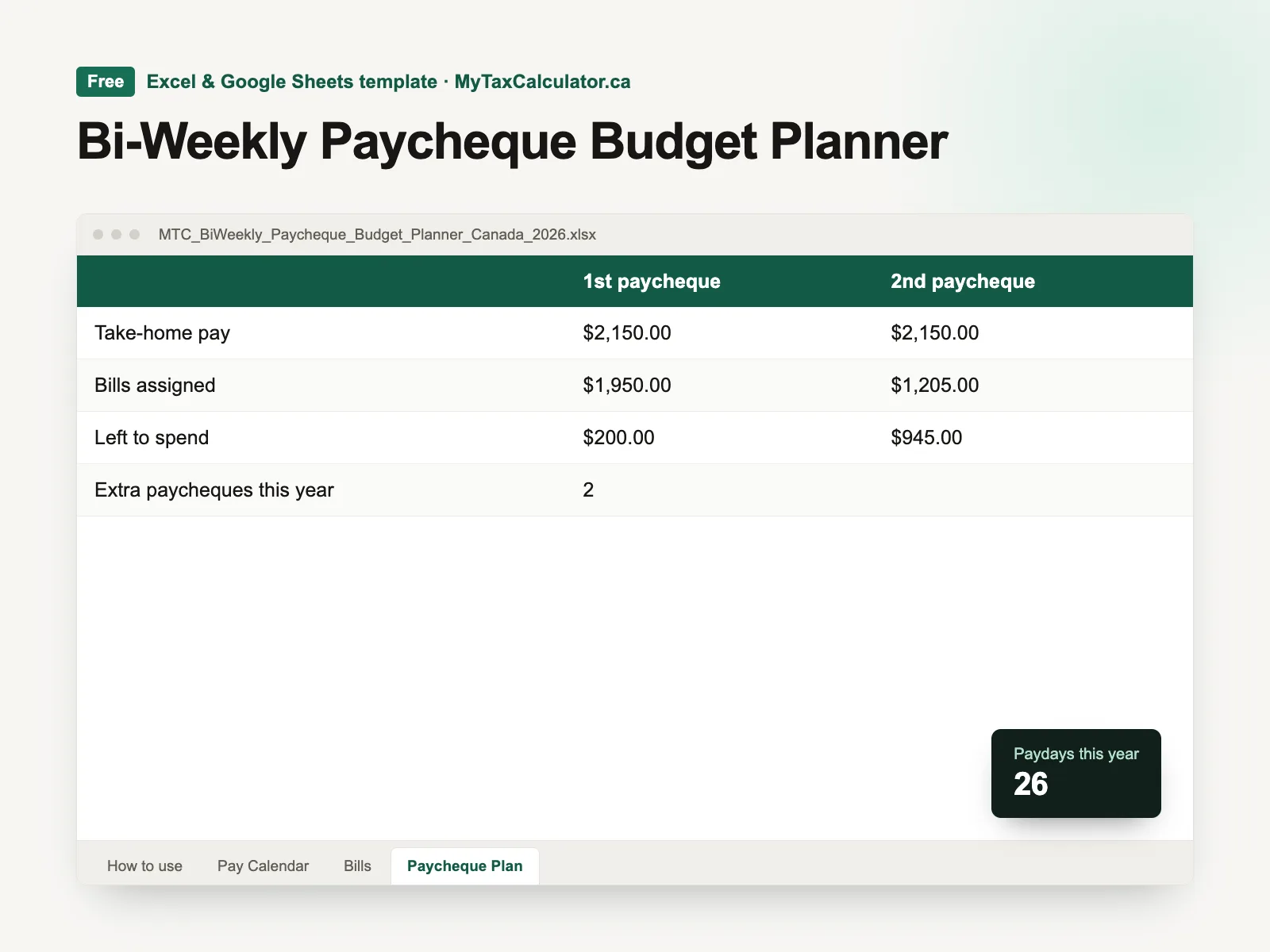
Bi-Weekly Paycheque Budget Planner
Budget by paycheque, not by month: assign each bill to the pay that covers it, and plan the two extra paycheques you get each year.
 Free
Excel · Google Sheets
Budgeting & Debt
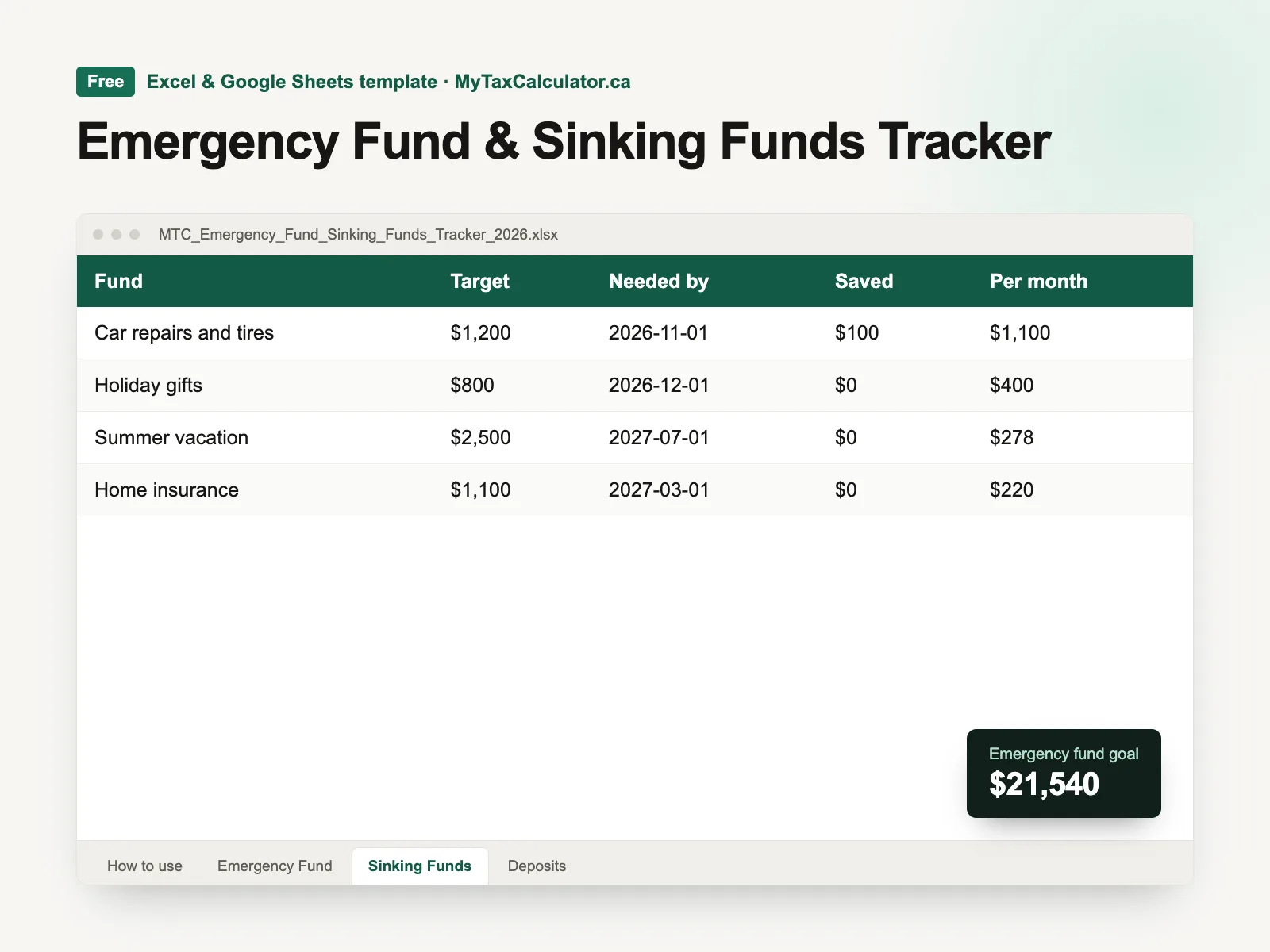
Emergency Fund & Sinking Funds Tracker
Size your emergency fund from your real essentials, then plan savings for known costs like car repairs, gifts and vacations.